
Gold Layer → Analytics Marts on Synapse

Azure • Analytics • Advanced • Payments

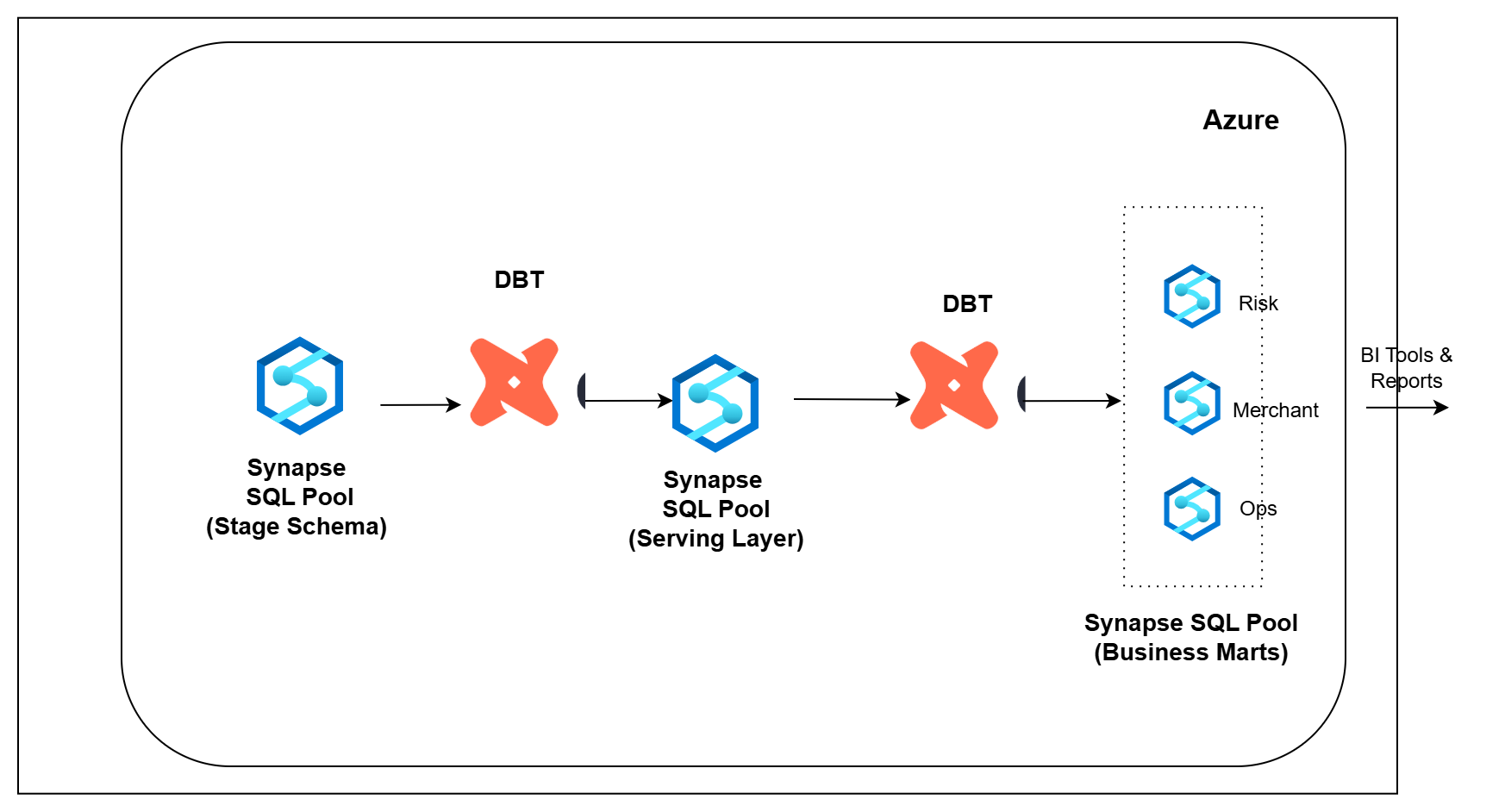
Architecture Diagram

Overview

In the previous pipeline, Silver data was transformed into Gold tables and made available for reporting through Synapse.

But business teams usually do not work directly with raw Gold tables. They need reporting-ready datasets that answer specific questions for finance, operations, risk, merchant monitoring, and leadership.

In this pipeline, you will build the analytics layer on Azure.

You will use dbt with Synapse Dedicated SQL Pool to transform Gold data into clean analytics marts that can be used for dashboards, reporting, and decision-making.

What You Will Build

  • Connect dbt to Synapse Dedicated SQL Pool
  • Read Gold serving tables from Synapse
  • Create staging models to clean and standardize source columns
  • Build serving models for customers, merchants, settlements, refunds, chargebacks, ledger entries, and reconciliation breaks
  • Build finance reporting datasets
  • Build operations reporting datasets
  • Build risk reporting datasets
  • Build merchant monitoring datasets
  • Create executive scorecards for leadership reporting
  • Track model freshness and row count reconciliation

Tech Stack

Azure Synapse Dedicated SQL Pool • dbt Core • SQL • Azure Data Lake Storage Gen2 • Synapse SQL • ODBC Driver for SQL Server

Learning Outcomes

After completing this pipeline, you will be able to:

  1. Build analytics transformations using dbt on Azure
  2. Organize dbt models into staging, serving, BI, and audit layers
  3. Create reporting-ready datasets for finance, operations, risk, merchant, and executive teams
  4. Build incremental models in Synapse
  5. Track model freshness and row count differences
  6. Create reusable business marts from Gold data
  7. Understand how lakehouse data is served to analytics teams