
Automate Vendor File Ingestion with Python and Airflow

Ingest vendor CSV files from Cloud Storage into BigQuery, track every file load, and move files to archive or quarantine after processing.
GCP • Foundations • Beginner • Retail

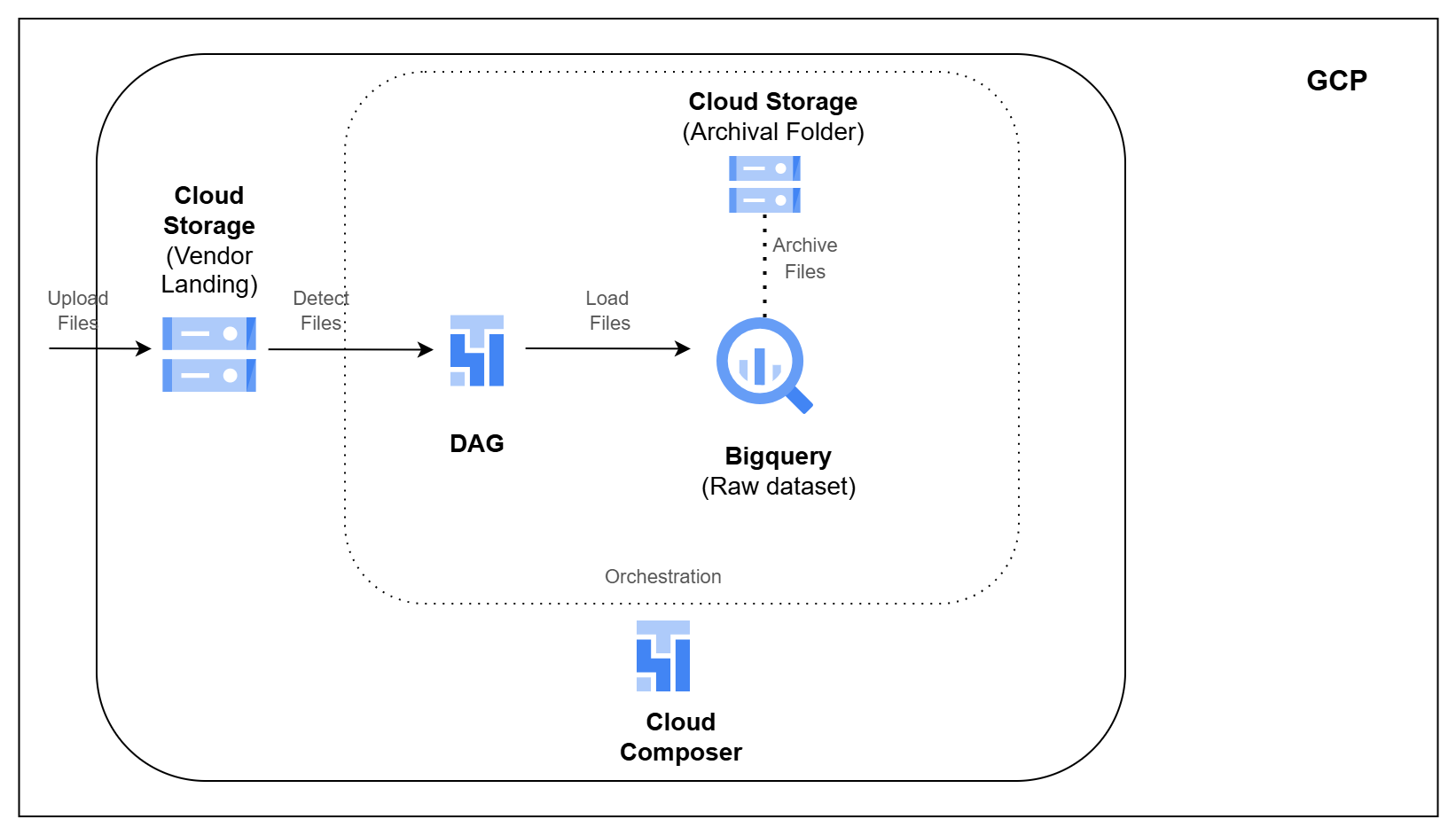
Architecture Diagram

Build this project

Included in Data0to1 Project Library

What this project solves

Retail platforms often receive data from outside systems as files.

Settlement reports, courier updates, serviceability files, and transaction feeds may arrive from payment gateways, logistics partners, or other vendors. Before this data can be used for analytics, each file should be collected, loaded, tracked, and handled safely.

In this pipeline, you will receive vendor CSV files in Cloud Storage, load them into BigQuery raw tables, record each file load, and move successful files to archive or failed files to quarantine.

What you’ll build

  • Set up Cloud Storage landing, archive, and quarantine folders
  • Load vendor CSV files into BigQuery raw tables
  • Track each file load using audit tables
  • Skip files that were already processed
  • Add file name, row number, and ingestion timestamp to loaded records
  • Archive successfully processed files
  • Move failed files to quarantine for troubleshooting

How you’ll build it

  • Create Cloud Storage folders for landing, archive, and quarantine
  • Detect new vendor files from the landing folder
  • Load valid CSV files into BigQuery raw tables
  • Record file status and lineage details in audit tables
  • Orchestrate archive and quarantine movement using Cloud Composer

Tools you’ll use

Google Cloud Storage • BigQuery • Cloud Composer • Apache Airflow • Python • SQL

What you’ll walk away with

After completing this pipeline, you will be able to:

  1. Explain how file-based ingestion works on GCP
  2. Load vendor files from Cloud Storage into BigQuery
  3. Track file processing status using audit tables
  4. Prevent duplicate file processing and add lineage columns
  5. Archive successful files and quarantine failed files using Cloud Composer

Ready to build this project?

Get access to the project code, setup files, architecture walkthrough, implementation videos, and support.