Automate BigQuery Exports to Cloud Storage

Export business-ready customer and order datasets from BigQuery to Cloud Storage as CSV/Parquet files with delivery tracking and Composer orchestration.
GCP • Analytics • Intermediate • Retail

Architecture Diagram

Build this project

Included in Data0to1 Project Library

What this project solves

Analytics data is not always consumed inside BigQuery.

Business teams may need customer segments for campaigns, operations teams may need recent order files, and external systems may need periodic data exports to stay updated.

In this pipeline, you will automate BigQuery exports to Cloud Storage. You will generate CSV and Parquet files from business-ready datasets, track every delivery, archive exported files, and orchestrate the full export workflow using Cloud Composer.

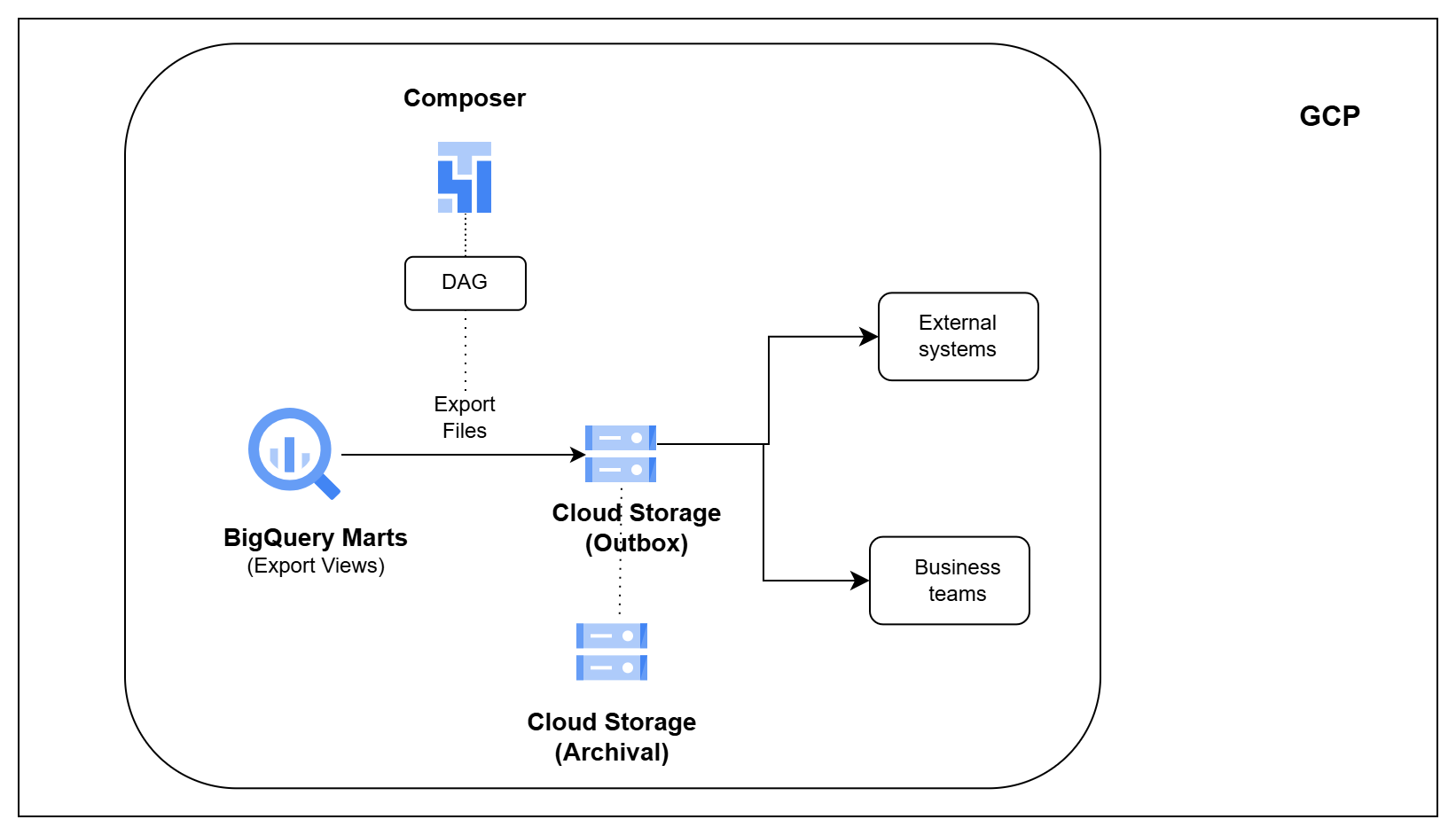
What you’ll build

  • Export customer and order datasets from BigQuery
  • Generate CSV and Parquet files for downstream consumers
  • Create reusable export definitions
  • Deliver business datasets to Cloud Storage
  • Track every export with audit history
  • Archive exported files for future reference
  • Orchestrate export workflows using Cloud Composer

How you’ll build it

  • Prepare reusable BigQuery export views
  • Generate export files from analytics marts
  • Write exported files to the Cloud Storage outbox
  • Track successful and failed export deliveries
  • Archive delivered files and validate export output

Tools you’ll use

BigQuery • Google Cloud Storage • Cloud Composer • Apache Airflow

What you’ll walk away with

After completing this pipeline, you will be able to:

  1. Build export pipelines from BigQuery analytics marts
  2. Generate business-ready datasets for downstream consumers
  3. Deliver curated files through Cloud Storage
  4. Track export history and delivery status
  5. Orchestrate and validate reverse ETL workflows on GCP

Ready to build this project?

Get access to the project code, setup files, architecture walkthrough, implementation videos, and support.