Create Analytics Marts with dbt and BigQuery

Use dbt on BigQuery to model refined retail data into reusable dimensions, facts, KPIs, and business marts for analytics.
GCP • Analytics • Intermediate • Retail

Architecture Diagram

Build this project

Included in Data0to1 Project Library

What this project solves

Refined data is cleaner than raw data, but business teams usually need a more structured analytics layer.

To answer questions about customers, products, orders, returns, sales, and business performance, analytics teams often create reusable dimensions, facts, KPIs, and business marts.

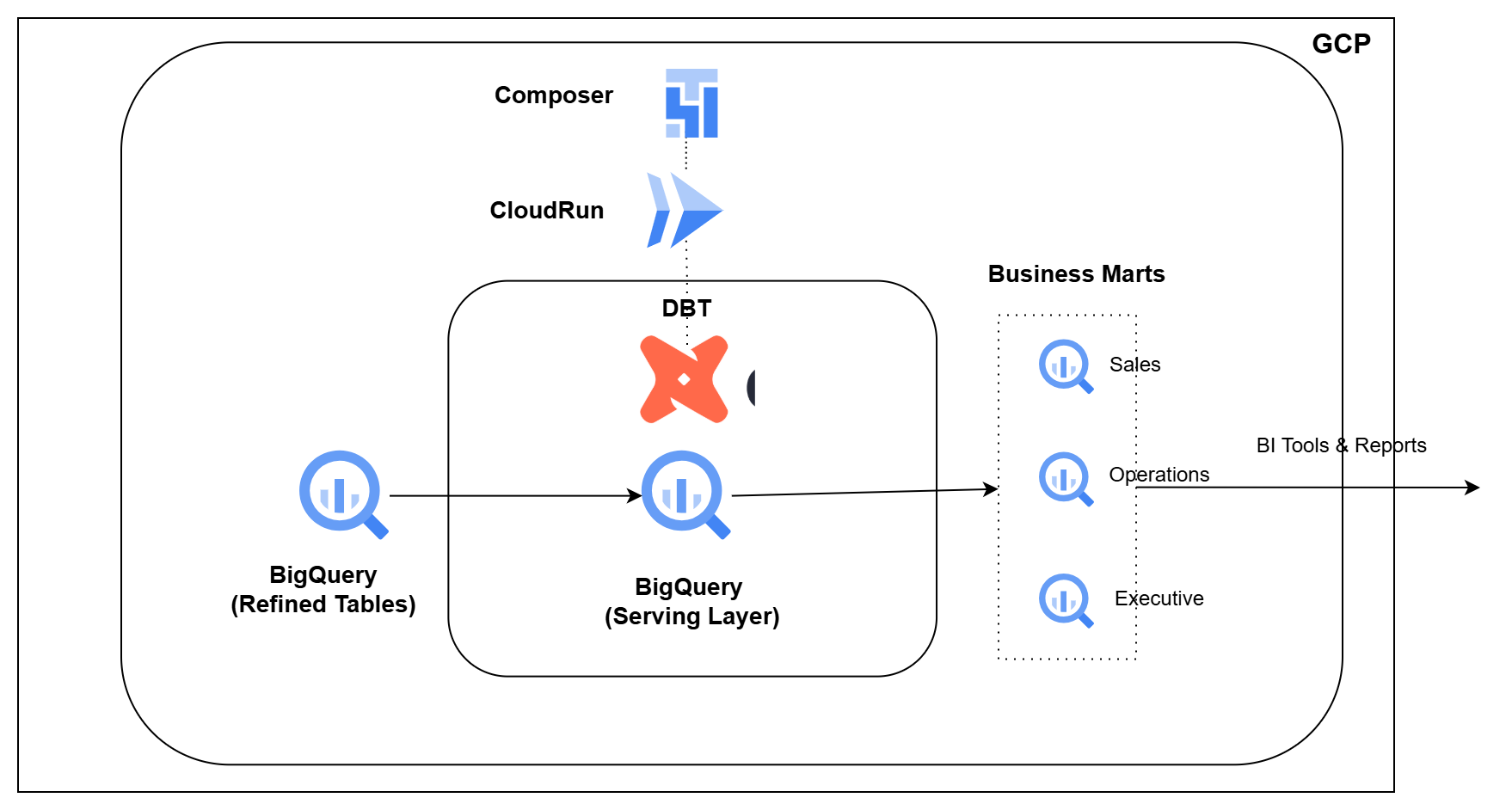
In this pipeline, you will use dbt on BigQuery to model refined retail data into business-ready analytics marts. You will create reusable models, generate KPIs, test the outputs, run dbt through Cloud Run, and orchestrate the workflow using Cloud Composer.

What you’ll build

  • Create reusable dimensions and facts using dbt
  • Track customer and product history using snapshots
  • Build customer, product, order, and returns models
  • Generate daily business KPIs in BigQuery
  • Create sales, operations, and executive marts
  • Build export-ready views for downstream consumers
  • Test and validate analytics models using dbt

How you’ll build it

  • Configure dbt models on top of refined BigQuery tables
  • Build reusable dimensions, facts, and KPI models
  • Track selected historical changes using dbt snapshots
  • Run dbt workloads using Cloud Run
  • Orchestrate and validate analytics builds using Cloud Composer

Tools you’ll use

BigQuery • dbt • Cloud Run • Cloud Composer • Apache Airflow

What you’ll walk away with

After completing this pipeline, you will be able to:

  1. Explain how refined data becomes analytics marts
  2. Create dimensions, facts, KPIs, and marts using dbt
  3. Track historical changes using dbt snapshots
  4. Test and validate analytics models in BigQuery
  5. Run and orchestrate dbt workloads using Cloud Run and Cloud Composer

Ready to build this project?

Get access to the project code, setup files, architecture walkthrough, implementation videos, and support.