Relational Database → BigQuery (Batch Ingestion)

GCP • Foundations • Beginner • Retail

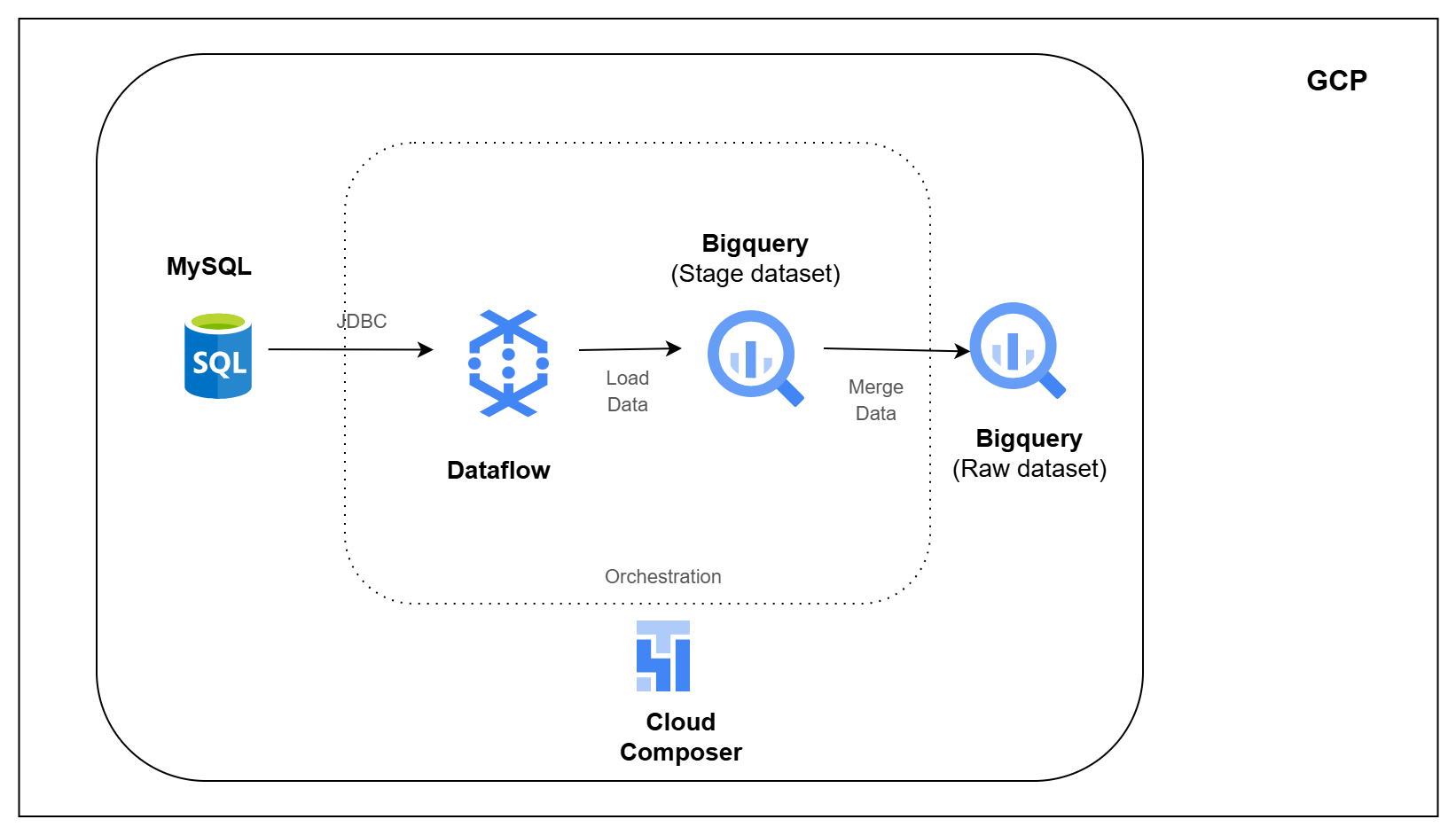
Architecture Diagram

Overview

Retail applications store day-to-day data such as products, customers, orders, shipments, payments, inventory, returns, and refunds inside databases.

But this data cannot always be used directly for reporting or analytics from the same application database. In real projects, data is usually moved into a central analytics platform first, so other teams and pipelines can safely use it.

In this pipeline, you will build that first step on GCP.

You will take retail data from a relational database, load it into BigQuery, and use watermarks to load only new or changed records instead of reloading everything every time.

What You Will Build

  • Set up a retail source database
  • Move database tables into BigQuery
  • Load only new or changed records
  • Store incoming data in stage tables first
  • Merge stage data into raw BigQuery tables
  • Track watermarks for each source table
  • Run multiple ingestion jobs for different retail domains
  • Orchestrate the pipeline using Cloud Composer

Tech Stack

Cloud SQL for MySQL • Dataflow • BigQuery • Cloud Composer • Apache Airflow • Google Cloud Storage • SQL

Learning Outcomes

After completing this pipeline, you will be able to:

  1. Extract data from relational databases into BigQuery
  2. Build repeatable batch ingestion pipelines on GCP
  3. Load only new or changed records using watermarks
  4. Use stage tables before loading final raw tables
  5. Merge incremental data into BigQuery tables
  6. Orchestrate ingestion workflows using Cloud Composer
  7. Understand how database ingestion works in a GCP data platform