
Vendor Files → BigQuery

GCP • Foundations • Beginner • Retail

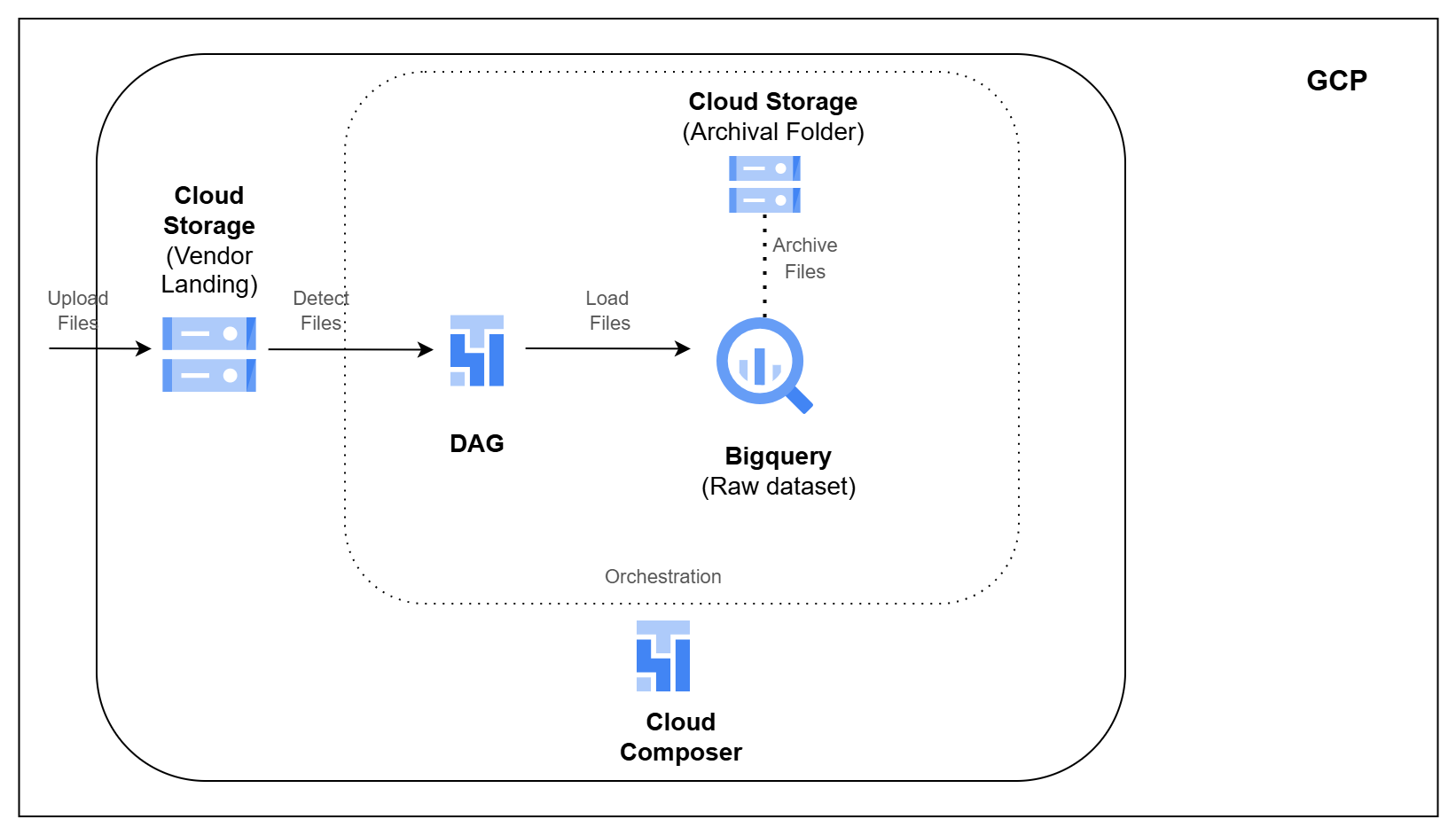
Architecture Diagram

Overview

Retail platforms often receive data from outside systems as files.

Settlement reports, courier tracking updates, serviceability files, and transaction feeds may arrive from payment gateways, logistics partners, or other vendors. Before this data can be used by analytics or downstream pipelines, it needs to be collected, checked, loaded, and tracked.

In this pipeline, you will build a file ingestion process on GCP.

You will receive vendor files in Google Cloud Storage, load them into BigQuery, track each file load, archive successful files, and move failed files to a quarantine area for troubleshooting.

What You Will Build

  • Receive vendor files in Google Cloud Storage
  • Load CSV files into BigQuery raw tables
  • Track which files were processed successfully
  • Skip files that were already loaded
  • Add file name, row number, and ingestion timestamp to loaded records
  • Archive files after successful processing
  • Move failed files to a quarantine area
  • Store audit details for each file load
  • Orchestrate the ingestion using Cloud Composer

Tech Stack

Google Cloud Storage • BigQuery • Cloud Composer Apache Airflow • Python • SQL

Learning Outcomes

After completing this pipeline, you will be able to:

  1. Build file-based ingestion pipelines on GCP
  2. Load vendor files from GCS into BigQuery
  3. Track file processing status using audit tables
  4. Prevent duplicate file processing
  5. Add basic lineage columns to ingested data
  6. Archive successfully processed files
  7. Quarantine failed files for troubleshooting
  8. Orchestrate file ingestion using Cloud Composer