Analytics Marts → Business Exports

GCP • Analytics • Intermediate • Retail

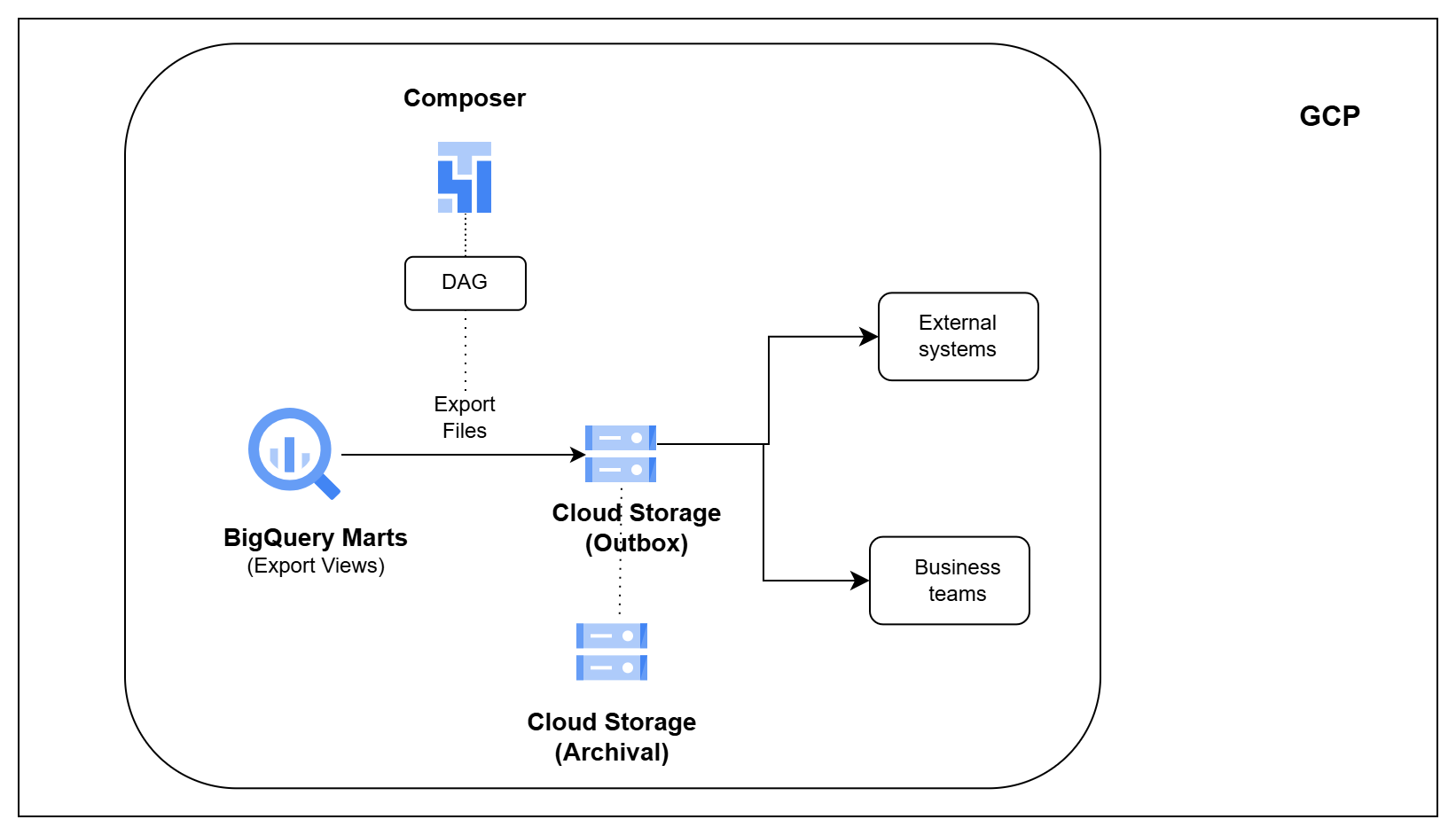
Architecture Diagram

Overview

Analytics data is not always consumed inside BigQuery.

Marketing teams may need customer segments for campaigns. Operations teams may need recent order files. External systems may require periodic exports to keep their data up to date.

In this pipeline, you will build a simple reverse ETL process on GCP.

You will export business-ready datasets from BigQuery, generate files in Cloud Storage, track what was delivered, and maintain an audit trail of every export.

What You Will Build

  • Export customer and order datasets from BigQuery
  • Generate CSV and Parquet files for downstream systems
  • Create reusable export definitions
  • Deliver business datasets to Cloud Storage
  • Maintain an audit trail for every export
  • Track successful and failed deliveries
  • Archive exported files for future reference
  • Orchestrate exports using Cloud Composer

Tech Stack

BigQuery • Google Cloud Storage • Cloud Composer Apache Airflow • SQL

Learning Outcomes

After completing this pipeline, you will be able to:

  1. Export business datasets from BigQuery
  2. Generate CSV and Parquet files for downstream consumers
  3. Build reusable export pipelines
  4. Deliver analytics data to external systems
  5. Track export history and delivery status
  6. Archive exported files for future reference
  7. Orchestrate reverse ETL workflows using Cloud Composer
  8. Understand how analytics data is shared outside the warehouse