
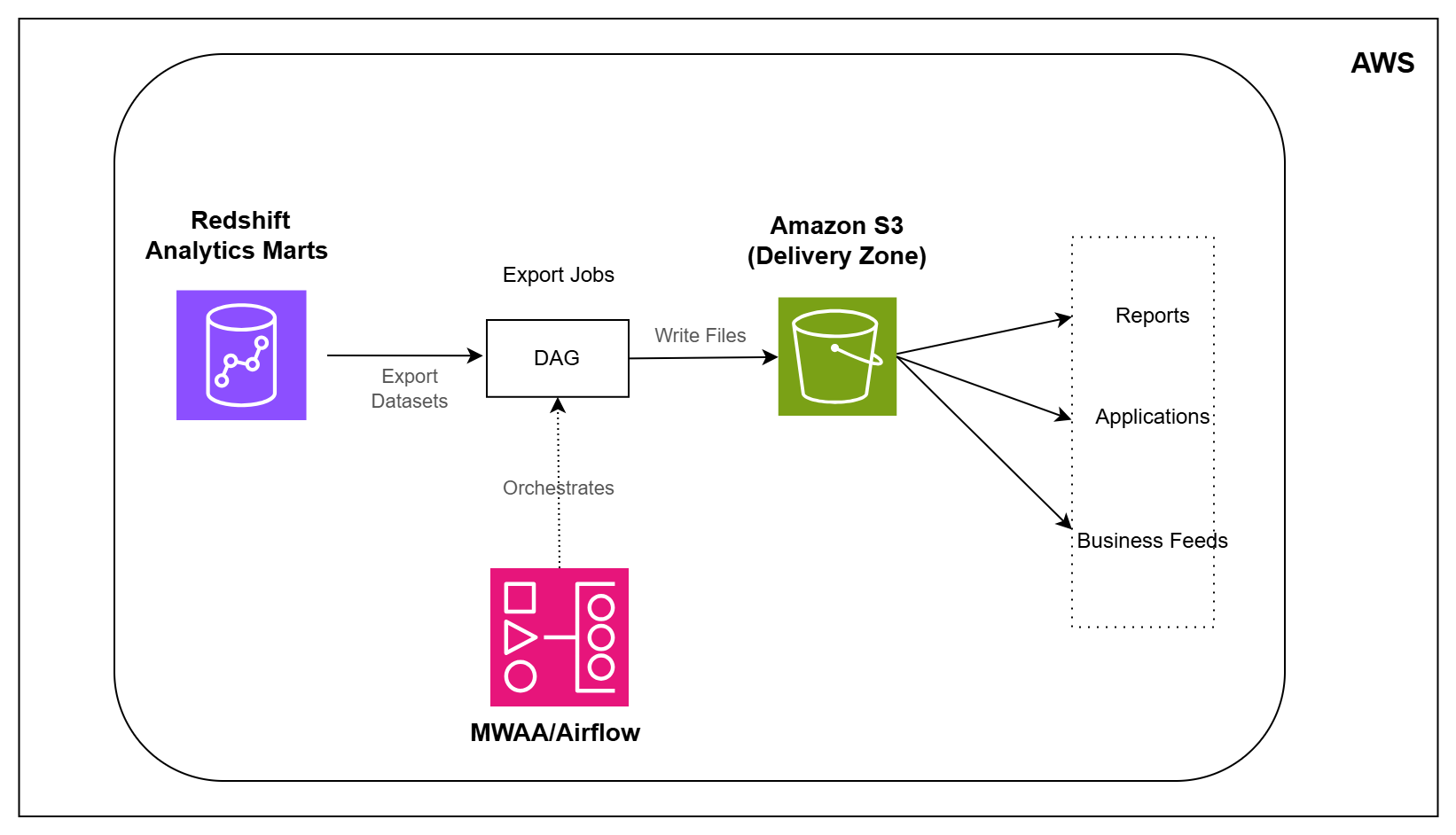
Analytics Marts → Delivery Exports on Amazon S3

AWS • Analytics • Advanced • Healthcare

Architecture Diagram

Overview

In the previous pipeline, healthcare data was transformed into analytics-ready datasets inside Amazon Redshift.

But reporting datasets often need to be shared with other systems, teams, and applications. Instead of giving every consumer direct access to the warehouse, organizations commonly publish curated exports and business feeds.

In this pipeline, you will build the delivery layer.

You will export analytics datasets from Amazon Redshift, create business-ready files on Amazon S3, and automate the delivery process using Airflow.

What You Will Build

  • Export analytics datasets from Amazon Redshift
  • Create delivery-ready files on Amazon S3
  • Generate operational summary datasets
  • Generate clinical quality datasets
  • Generate revenue reporting datasets
  • Create patient watchlist feeds for downstream consumers
  • Organize exports using date-based delivery folders
  • Deliver datasets in Parquet format
  • Automate exports using Airflow on MWAA

Tech Stack

Amazon Redshift Serverless • Amazon S3 • Amazon MWAA Apache Airflow • SQL • Apache Parquet

Learning Outcomes

After completing this pipeline, you will be able to:

  1. Export analytics datasets from Amazon Redshift
  2. Create delivery-ready files on Amazon S3
  3. Build operational, clinical, and revenue exports
  4. Generate downstream business feeds
  5. Deliver datasets using partitioned folder structures
  6. Publish analytics data in Parquet format
  7. Automate delivery pipelines using Airflow and MWAA
  8. Understand how analytics data is shared with downstream systems